


Moon Phase Calendar
4.89.11K Reviews
App Specs
- Version
- 1.60
- Updated On
- License
- Free
- Downloads
- 1,000,000+
- Developer
- probadoSoft
- Categories
- Weather
- Platform
- Android
Screenshots
 Analysis by AppCompare
I often reach for a weather app to answer a simple question, then realize I’m looking for something different: not rain or temperature, but what the moon will be doing tonight or on a date I’m planning around. Switching between general forecasts, search results, and calendar notes adds friction to a small task. Moon Phase Calendar is useful because it gives that lunar information its own home, making a quick check easier when the moon is the point.
A focused tool for a recurring question
This is a free weather app from probadoSoft, centered on lunar phases rather than the broad forecast most weather apps emphasize. Its appeal is practical: instead of searching for a phase each time, I can open a calendar and look across dates. The app has a 4.8 average from around 62,000 ratings, and more than a million installs. Those figures suggest it has found an audience, though they don’t tell me whether its focused approach suits every user.
The main time-saving benefit is having a dedicated reference for planning, not a replacement for a full weather service or an astronomy guide. If I’m deciding whether to take a camera out, arrange an evening walk, or simply satisfy a passing curiosity, a lunar calendar is a more direct starting point than navigating through unrelated forecast screens. It narrows the task to the information I came for.
Getting started without making it a project
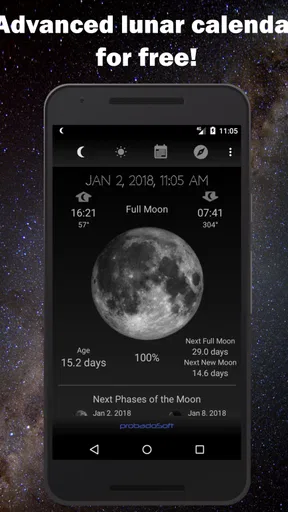
Downloading the Moon Phase Calendar app is as smooth as a full moonlit night. It’s available on both Android and iOS, and the installation is quick and hassle-free. Once you open the app, you're greeted with a slick, intuitive interface that immediately shows the current moon phase. I was pleasantly surprised by how user-friendly it is, even for someone who might not be a tech wizard.
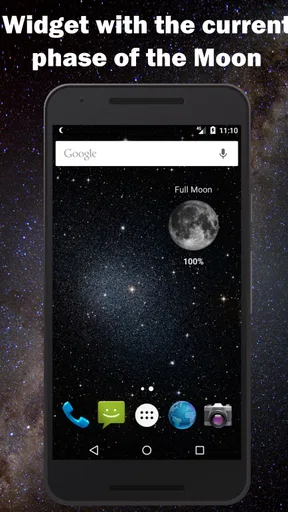
Its store details describe an advanced lunar calendar with notifications and a widget, and offline use is part of the pitch. That combination matters most when I want a fast glance rather than another chain of searches. A widget can bring the calendar closer to the home screen, while offline access is handy when a connection is poor or I’m checking plans away from a reliable network. I’d treat the widget as a shortcut, not as a reason to expect a full forecast at a glance.
The app is listed as suitable for everyone, with a minimum Android requirement of version 6.0; its current version is 1.60. For someone choosing a simple reference tool for a shared device, the everyone rating is reassuring. The practical first step is to check the calendar and settings, then decide whether notifications add value. If alerts would just become another item to dismiss, I’d leave them off and use the app on demand.
Using the calendar in everyday plans
I use the calendar to turn a vague “sometime this month” idea into a date I can actually consider, without relying on memory or searching again. Once I have a likely evening, I still check local conditions separately; keeping those steps distinct makes lunar planning more useful and avoids mistaking a phase reference for a forecast.
Worth Reading Before You Choose

EA SPORTS FC Mobile 26 Is a Bigger Football Game, but It Takes Time

Flipboard Shows What News Apps Must Do Beyond the Feed

Switching to Android Auto Means Rethinking Your Driving Routine

Google Calendar Makes a Crowded Week Easier to Manage

Ludo King Makes the Most of the Minutes Between Plans

Baby Panda World Brings Quick Play to Modern Phones, but Its Game Library Feels Busy
Planning by date, not by memory
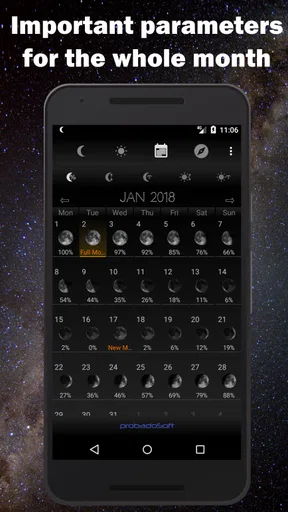
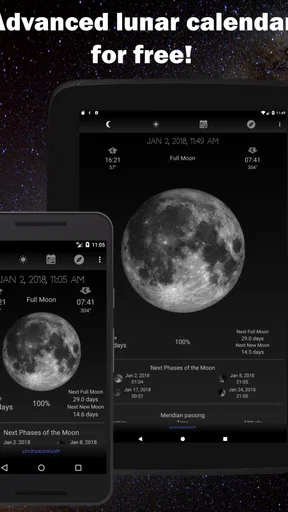
Let’s dive into what this app offers. First off, the calendar view is nothing short of a stargazer’s dream. It provides a monthly overview of all the moon phases, highlighting new moons, full moons, and everything in between. You can swipe through months effortlessly, making future stargazing plans a breeze.
That month-at-a-glance view is more useful than it may sound. If I’m arranging a night outdoors, I can scan ahead rather than rely on remembering when a brighter or darker phase is due. A photographer might use the same overview to shortlist evenings for a moonlit scene, then check local cloud and rain conditions separately. The calendar helps answer “when should I look?”; it cannot answer “will the sky be clear?”
A realistic use is planning a weekend walk with a friend. I can check the dates before suggesting an evening, and, if lunar light is part of the appeal, avoid choosing blindly. I’d still check the local weather close to the day and consider the route and safety independently. This division of jobs is a useful habit: let the lunar calendar narrow the dates, and let a forecast service handle changing conditions.
Details that help with a closer look
One feature I particularly enjoy is the detailed information provided for each phase. Tap on any date, and you’ll get a breakdown of the moon’s position, rise and set times, and even its distance from Earth. If you’re like me and love a bit of trivia, this feature is a goldmine.
For a more deliberate observation, I’d use those details as a planning aid rather than treating a calendar entry as a guarantee of a perfect view. Rise and set times can help me decide when to be ready, while the selected date keeps the plan anchored to a specific evening. A useful workflow is to browse the month first, tap likely dates second, and only then make practical arrangements. That avoids turning every casual glance into a deep dive.
This kind of detail also gives the app a different role from a basic moon icon in a general weather app. A simple icon is enough if I only want a rough sense of the phase. Here, date-specific information is more helpful when I’m curious about timing or comparing two possible evenings. The trade-off is that anyone seeking a complete observing guide may still want a specialist astronomy resource alongside it.
Alerts, widgets, and a lighter routine
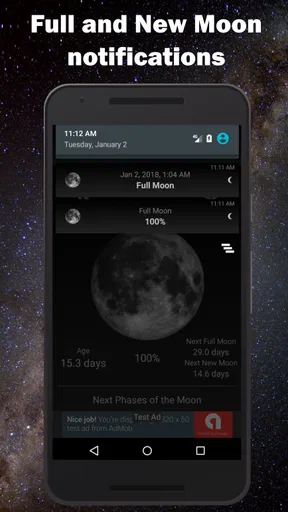
Customization is another area where this app shines. You can tailor notifications to alert you about significant lunar events. Whether it’s a supermoon or a lunar eclipse, you’ll never miss the chance to witness these celestial wonders. The app also lets you choose themes and backgrounds, adding a personal touch to your lunar experience.
For those who like to personalize their apps, the settings allow you to toggle between different viewing modes. Whether you prefer a minimalist look or a more detailed display with all the bells and whistles, the choice is yours.
I’d be selective with alerts. They make sense if I regularly forget to check dates before an event, but they are less useful if I only open the calendar when a plan comes up. A notification is a reminder to look; it is not a substitute for checking the actual sky or making a reservation. Keeping alerts limited to events I care about can preserve the app’s convenience without making the phone noisier.
The widget suits a different habit: quick checking without opening the app. I’d try it if the phase is something I want to notice often, then remove it if it becomes visual clutter. That small choice is worth making deliberately, because a home-screen glance is convenient only when it genuinely replaces a step I would otherwise take.
Where it fits—and where it doesn’t
So why should you give this app a try? If you’re a nature lover, budding astronomer, or just someone who appreciates the beauty of the night sky, this app is a delightful companion. It’s educational and entertaining, giving you insights into the moon's influence on tides, gardening, and even your mood.
Moreover, it’s perfect for planning activities that depend on lunar phases. Whether you’re into fishing, planting, or even photography, knowing the moon phase can enhance your experience significantly.
I’d be more cautious about treating those interests as promises of results. A phase can be one planning factor for fishing, gardening, or photography, but local conditions and personal technique matter too. For tides in particular, the phase alone is not a substitute for location-specific tide information. The calendar is best used as a reference that adds context, not as a tool that decides what conditions will be like.
Compared with a general weather app, this one puts lunar dates and details first instead of burying them among forecasts. Compared with a paper calendar or a quick web search, it can make repeat checks and looking ahead feel more convenient, especially if the widget or notifications fit your routine. But if I mainly need hourly rain, wind, severe-weather notices, or a reliable forecast for a trip, I’d choose a full weather app as my primary tool and keep this for the lunar question.
A considered recommendation
The Moon Phase Calendar app is a must-have for anyone curious about the moon. Its easy navigation, rich features, and alerts make it a standout tool in its category. I found myself checking it daily, not just for the practicality it offers but also for the sheer joy of connecting with the cosmos.
Whether you’re a seasoned astronomer or just getting started, this app is bound to enrich your understanding and appreciation of the moon. Give it a go; you might find yourself more in tune with the rhythms of nature—and who doesn’t want that?
My recommendation is strongest for people who repeatedly plan around lunar dates, enjoy checking the sky, or want a compact reference they can consult without searching from scratch. It is less compelling for someone who only wants a broad daily forecast, or for an observer who needs detailed equipment guidance and a complete sky-planning toolkit. In those cases, a general forecast app or a dedicated astronomy resource is the better first choice.
One final practical point: offline access can make a reference easier to reach, but it does not remove the need to verify real-world conditions before heading out. I’d use the calendar to choose a date, check the details for that date, and then confirm the local forecast nearer the time. That simple sequence is where I think the app earns its place: it saves a little effort on a recurring question without pretending to solve every part of an outdoor plan.
Pros
- User-friendly interface for easy navigation.
- Accurate moon phase data and updates.
- Customizable notifications for events.
- Includes additional astronomical info.
- Offline access to moon data.
Cons
- Limited customization for themes.
- Ads can be intrusive at times.
- Lacks integration with other calendars.
- Some features require premium upgrade.
- Occasional syncing issues reported.
FAQs for Moon Phase Calendar
What is the Moon Phase Calendar app used for?
The Moon Phase Calendar app is designed to help users track the phases of the moon, providing detailed information about each phase, including full moon, new moon, and everything in between. It is ideal for those interested in astronomy, astrology, or simply enjoying the beauty of the moon's cycle.
Does the Moon Phase Calendar app require an internet connection?
No, the Moon Phase Calendar app typically doesn't require an internet connection for its basic functionalities. Once downloaded, it can display moon phases offline, making it convenient for users who may not have consistent internet access. However, certain features like updates or community sharing might need connectivity.
Is the Moon Phase Calendar app available for both Android and iOS?
Yes, the Moon Phase Calendar app is available for download on both Android and iOS platforms. Users can easily find it on the Google Play Store and Apple App Store, ensuring broad accessibility regardless of the smartphone brand they use.
Can the Moon Phase Calendar app send notifications for specific moon phases?
Yes, many versions of the Moon Phase Calendar app offer customizable notifications. Users can set alerts for specific phases, such as the full moon or new moon, allowing them to stay informed and plan activities like stargazing or gardening accordingly.
Are there any additional features in the Moon Phase Calendar app?
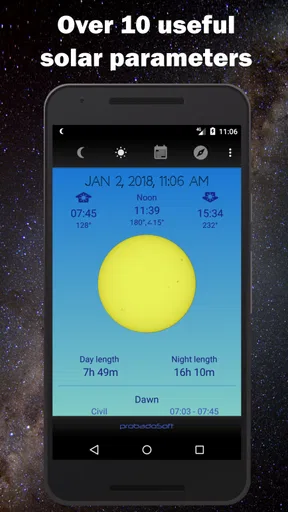
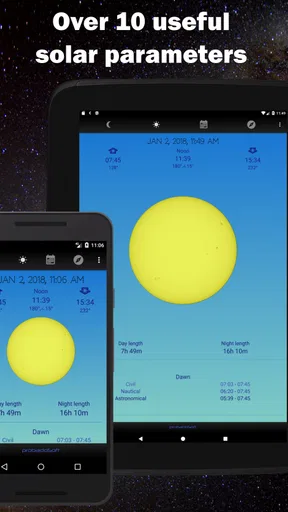
Besides tracking moon phases, the app often includes features like sunrise and sunset times, zodiac sign transitions, and even solar and lunar eclipse information. Some apps might also offer educational content about lunar cycles and their significance in various cultures.


